December 10-14, 2018
Objective: Use Mask Layer
Assignment: Sr Most Cutout
Details: Choose a Sr Most likely image, cutout and insert an new background.
Link: https://photos.app.goo.gl/DKwVHeYkiVrMiuRLA
Submit .psd & .jpg
https://goo.gl/forms/3cAIn5zEavfX8UUn1
Wednesday, December 12, 2018

Monday, November 19, 2018

Tuesday, November 13, 2018
Week 13 2018 Sort through Surveys
November 12 - 16, 2018
Assignment: Sort through surveys.
-No Name papers disregard.
-Check survey response to possibly use.
-Responses should be school appropriate.
-Avoid choosing students that are in the yearbook multiple times.
This is a chance to get students in that are not in the yearbook much.
-Enter in Responses and names on the Google spreadsheet Called:
“ FINAL YEARBOOK SURVEY 2019”
Wednesday, November 7, 2018
Week 12 2018 Portraits
November 5 - 9, 2018
Objective: Remove Duplicates
Assignment: Portraits
Details: Do not use the retake photos. Login to Jostens and change the details to Don't Use Portrait, uncheck the Index this photo and click apply.


Details: This document is shared with you. Go into your Google docs and find "2019 Portraits" document.
Objective: Remove Duplicates
Assignment: Portraits
Details: Do not use the retake photos. Login to Jostens and change the details to Don't Use Portrait, uncheck the Index this photo and click apply.


Details: This document is shared with you. Go into your Google docs and find "2019 Portraits" document.
Tuesday, October 23, 2018
Week 10 2018 Fix it
October 22 - 26, 2018
Objective: Use Photoshop tools to enhance photos.
Assignment: Fix the images in the Fixit folder. Use the clone stamp tool and healing tools to touch up the images.
Link: Images Gallery
Save As: Redeyedit.psd
Red Eye, Healing Patch & Change color


Video Tutorial Color Change
Lighten image


Sharpen image: Download
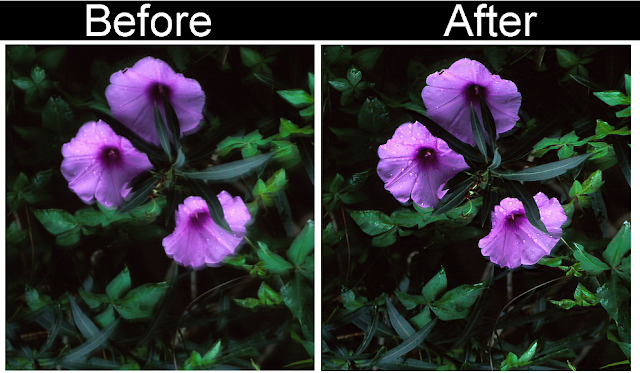

Video Tutorials
Red Eye, Healing Patch & Change color
Lighten image
Sharpen image
Objective: Use Photoshop tools to enhance photos.
Assignment: Fix the images in the Fixit folder. Use the clone stamp tool and healing tools to touch up the images.
Link: Images Gallery
Save As: Redeyedit.psd
Red Eye, Healing Patch & Change color


Video Tutorial Color Change
Lighten image


Sharpen image: Download


Video Tutorials
Red Eye, Healing Patch & Change color
Lighten image
Sharpen image
Wednesday, October 3, 2018


Monday, September 24, 2018
Week 6 2018: Sr. Picture
Sept. 24 - 27, 2018
Objective: Take a picture of the Sr. class forming the number 19
Assignment: Yearbook Sr. Picture
Date: October 1st
Place: Football Field
Time: 9:15am
Objective: Take a picture of the Sr. class forming the number 19
Assignment: Yearbook Sr. Picture
Date: October 1st
Place: Football Field
Time: 9:15am
Subscribe to:
Posts (Atom)